Rewrite

Reshape your draft with six sliders.

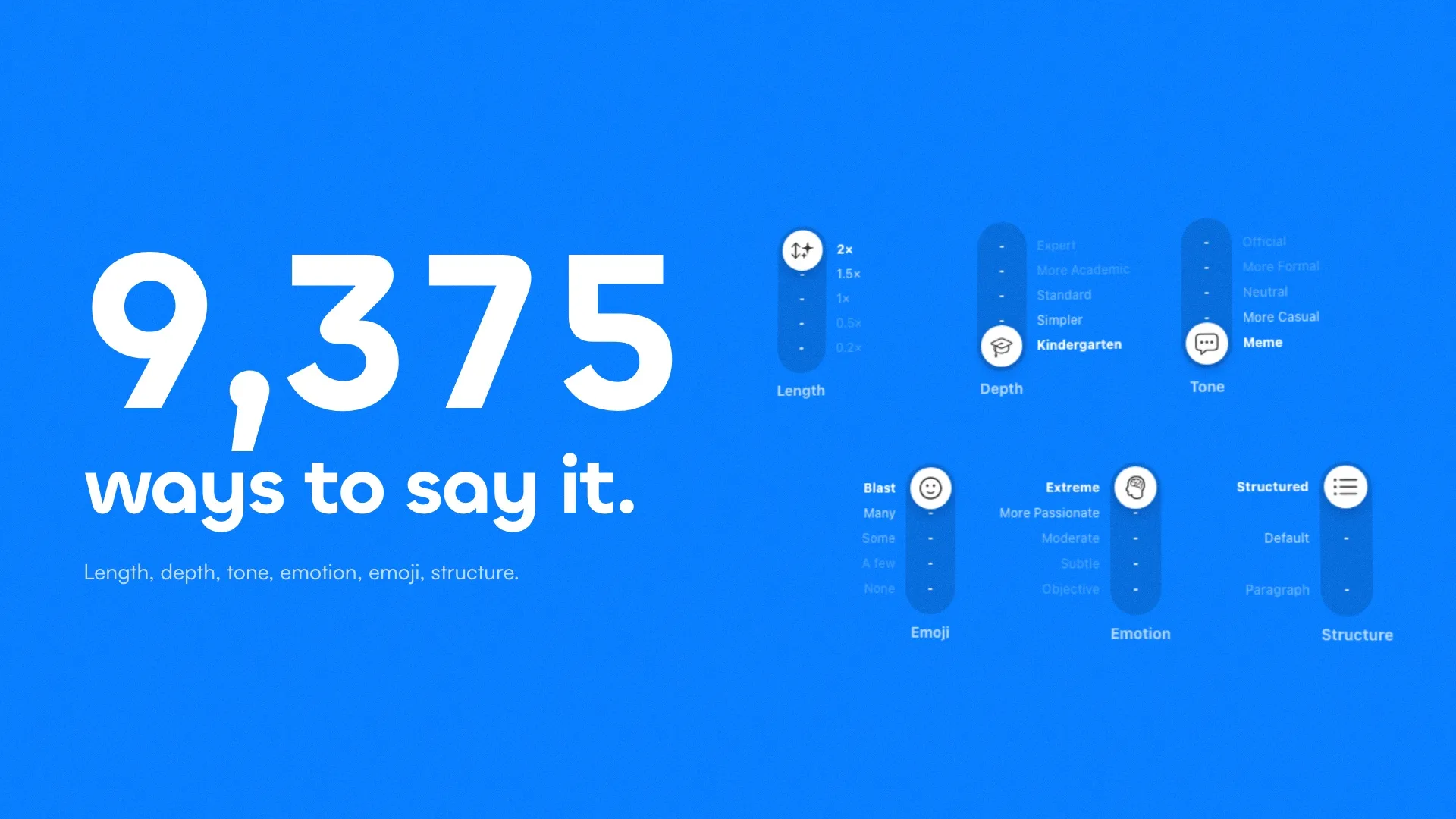
Select typed, pasted or dictated text in a supported field. Set its length, depth, tone, emotion, emoji and structure, then apply the rewrite in place. You choose the settings without writing a new instruction each time.

The six KeycoBoard rewrite sliders and their levels, from length 0.2× to 2× through depth, tone, emotion, emoji and structure: 9,375 combinations

How it works

  1. 01

    Select the text

    Highlight a sentence, a paragraph or a whole draft. On iPhone and iPad you can also rewrite everything in the field without selecting it.

  2. 02

    Set the sliders

    On Mac, use the rewrite shortcut shown in your settings. On iPhone and iPad, switch to the KeycoBoard keyboard. Move only the sliders you care about.

    Mac setup and text access · iPhone and iPad Full Access setup · The AI voice keyboard for iPhone and iPad

  3. 03

    Apply and compare

    The rewrite replaces your selection. Keep a copy of the original when comparing settings, and check names, numbers and commitments before sending. Each new rewrite is a separate generation.

    Compare tones using the same original draft

Input and output examples

Editorial examples illustrate the workflow, not recorded benchmark results. Actual wording varies by model, settings and context. Review facts before using the output.

Shorten a status update without dropping the condition

Input
The draft is ready, and I would like you to review it by Thursday. If you approve it, we can publish it on Friday.
Settings
Length: 0.5×. Tone: Neutral. Emoji: None. Other sliders unchanged.
Example output
Please review the ready draft by Thursday; we can publish Friday if you approve.

Six dimensions, 9,375 combinations

Length

From 0.2× to 2× the original. Cut a ramble down to one line, or grow a note into a full message.

Choose a voice typing and rewriting app

Depth

From Kindergarten to Expert. Explain it simply to a customer or precisely to a specialist.

Tone

From Meme to Official, with More Casual, Neutral and More Formal in between.

Emotion

From Objective to Extreme. Keep a status update flat, or let a thank-you note sound like you mean it.

Emoji

From None to Blast. Leave them out of the board update and add a few to the team chat.

Structure

Paragraph, Default or Structured. Turn a wall of text into a clean list, or a list back into prose.

Context helps the passage fit

Available text before and after the selection can be sent with the request. It helps the new passage fit the draft; it is not a memory of all your documents or conversations.

What is processed and saved locally

Requirements and limits

Platforms, permissions, processing and pricing.

Questions

Can rewrites follow my own rules?

Yes, on Pro. Write lasting preferences under Custom Rewrite Prompts in the app settings, such as “Always write numbers as numerals” or “Keep a friendly but professional tone”. Rewrites, voice typing and translation all follow them.

Is it a grammar checker?

No. A grammar checker underlines mistakes and suggests fixes one by one. KeycoBoard rewrites the whole passage into clean text in the style you set.

How is it different from Apple Writing Tools?

Apple Writing Tools offers preset styles such as Friendly, Professional and Concise, or a typed description of the change, and needs an Apple Intelligence device. KeycoBoard combines six sliders without typing instructions and runs on iOS 16.6 or later.

Does it use what I wrote before the selection?

Available text before and after the selection is sent as context so the rewrite can fit the surrounding writing. The host app and operating system limit how much text is accessible.

Does my draft have to come from KeycoBoard voice input?

No. You can rewrite typed, pasted or dictated text that the supported field makes accessible. You do not have to record it again.

Compare your options

Features, limits and prices, with sources.

Setup and FAQ · Privacy and processing

Try it in your own text field.

Free to start on Mac, iPhone and iPad with 30 shared uses a month. Pro is US$29.99/year or US$3.99/month. See pricing