Voice typing

Voice typing that writes the way you choose.

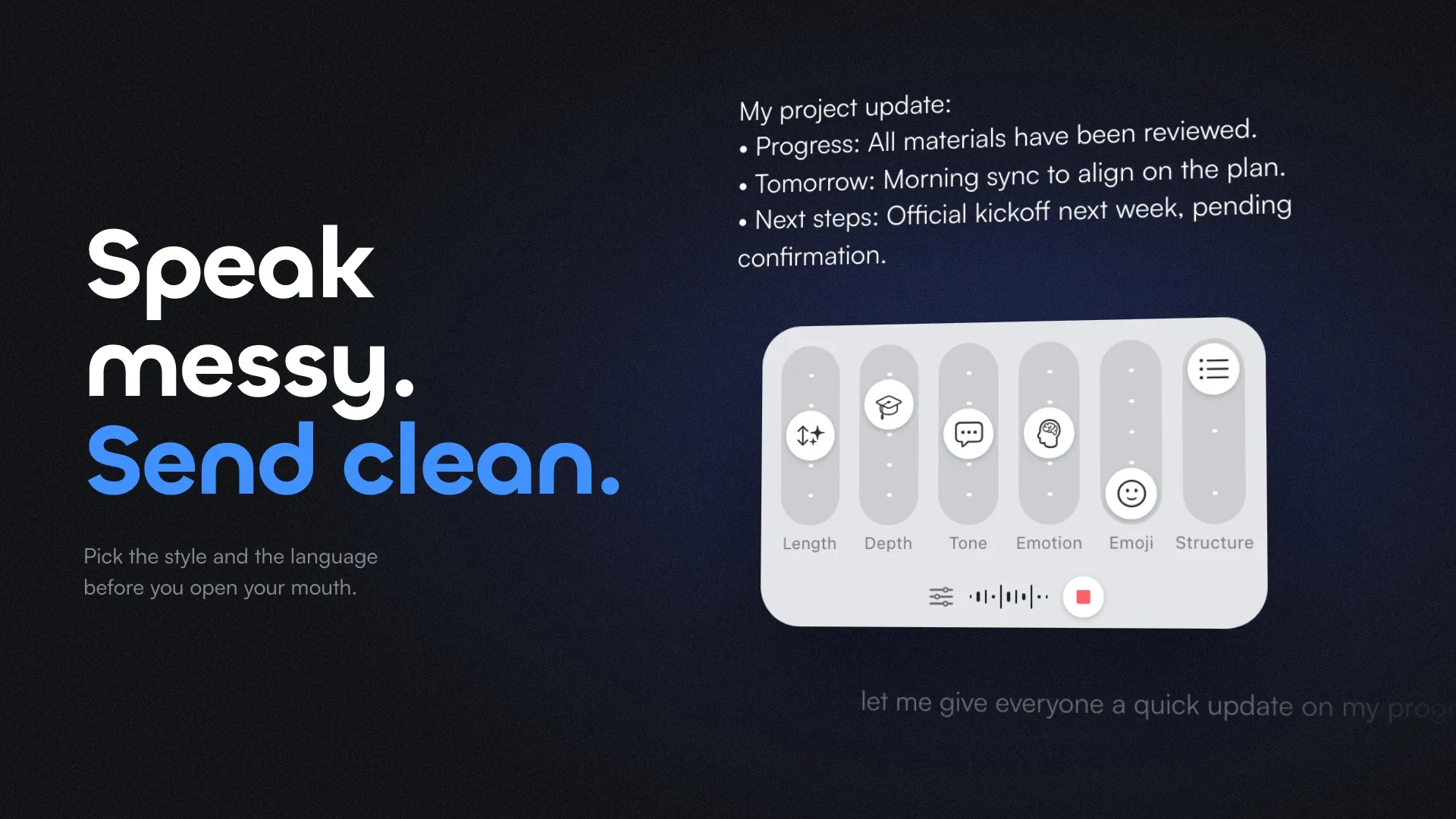
KeycoBoard turns speech into written text on Mac, iPhone and iPad. Adjust length, tone and structure, or a target language, before or during recording. The settings active when you stop are applied, and the result returns to the supported text field.

KeycoBoard voice typing on Mac: six style sliders above a live waveform, turning a rambling spoken update into a bulleted project update

How it works

  1. 01

    Start recording

    Focus a supported text field. On Mac, use the voice shortcut shown in your settings (Right Command + M by default). On iPhone and iPad, switch to the KeycoBoard keyboard and tap the microphone.

    Set up voice input on Mac · Enable the iPhone or iPad keyboard

  2. 02

    Set the style as you talk

    Move the sliders, and pick a target language if you want the result in another language. On Mac, hover over the recording bar to open the controls. The settings in place when you stop are the ones used.

  3. 03

    Stop, and it lands in the field

    Press the shortcut again or tap stop. KeycoBoard writes the result where you were typing, using the text around your cursor as context.

Input and output examples

Editorial examples illustrate the workflow, not recorded benchmark results. Actual wording varies by model, settings and context. Review facts before using the output.

Turn a spoken update into a short list

Input
The new help page is ready. We still need the Spanish screenshots. Maya will send them on Thursday, and we can publish on Friday if they arrive.
Settings
Rewrite mode. Structure: Structured. Tone: Neutral. Emoji: None. Length: 1×.
Example output
• Help page: ready. • Spanish screenshots: Maya will send them on Thursday. • Publication: Friday, if the screenshots arrive.

More than speech to text

Adjust the style while speaking

Choose a formal update, a relaxed reply or a shorter version of a long thought. You can change the controls during recording; stopping captures the final settings.

Choose a voice typing and rewriting app

Speak one language, send another

Pick a target language and your words come out in it, still shaped by the sliders. Choose from 45 languages and regional variants, including English (US, UK, Australia, Canada), Simplified and Traditional Chinese, Cantonese in Traditional or Simplified characters, Japanese, Korean, Spanish (Spain, Latin America, Mexico), French, German, Portuguese, Italian, Russian, Arabic, Hindi, Thai and Vietnamese.

Draft an English email from Chinese speech

It reads what is already there

Text before and after your cursor is supplied as context to help the result fit your draft, whether or not you pick a target language.

Up to five minutes per recording

Use separate recordings for longer notes. History, including recordings, stays on your device, where you can delete it or have it cleared automatically. Local history does not mean offline AI processing.

Understand processing and local history

Style and language in one request

The sliders apply whether or not you translate. Pick a target language and a spoken Chinese note can come out as a short, formal English reply in one step. Leave it on Don’t Translate to keep the language you spoke.

How text translation works · Reshape the resulting draft

Requirements and limits

Platforms, permissions, processing and pricing.

Questions

Does KeycoBoard voice typing work in every app?

It works where you can type. On Mac it pastes into the focused text field, and shows a floating result window if the app refuses the paste. On iPhone and iPad it works wherever third-party keyboards are allowed; iOS switches to the system keyboard in password fields.

How is it different from Apple Dictation?

KeycoBoard adds controls for the style and target language of the result, and it uses available text around your cursor as context.

When do the sliders take effect?

You can adjust the mode and settings before or during recording. The settings active when you stop are used for that request. Changing them after stopping does not revise an already submitted request.

Is my audio stored?

Your generation history, including recordings, is stored on your device until you delete it or it is cleared automatically. Audio is sent to our servers and AI providers to be processed; our privacy policy explains how that is handled.

Is voice typing free?

Yes, within the Free plan’s 30 uses a month. Pro makes voice typing unlimited for US$29.99 a year or US$3.99 a month, on both Mac and iPhone with one account.

Compare your options

Features, limits and prices, with sources.

Setup and FAQ · Privacy and processing

Try it in your own text field.

Free to start on Mac, iPhone and iPad with 30 shared uses a month. Pro is US$29.99/year or US$3.99/month. See pricing